Full Body Gender Swap AI
Use GenderSwapApp to gender swap a full-length photo of one person. Standing and seated photos both work best when the person fills most of the frame and their face is clearly visible.
What works best in a full-body photo
- Light. Face a broad light source so the eyes and lower face are easy to make out.
- Distance. Fit the subject into the frame with modest margins. Extra space at the edges makes the face smaller.
- Pose. Try a standing or seated pose with the face turned toward the camera.
- Background. Use a plain setting if you want to inspect the clothing and hair edges.
- Clothing color. Choose fabric that stands out against the background so its silhouette is easy to compare.
- Hands and feet. Include them if they matter to the composition and leave room at the frame edges.
Full-body gender swap examples
Compare the generated jaw, brow and hairstyle with the input. Then look at shoulder position, garment color and the scene behind the subject to judge how closely the edit follows the reference. Check small details such as printed fabric separately, since they can look different after processing.
Male to female · standing portrait
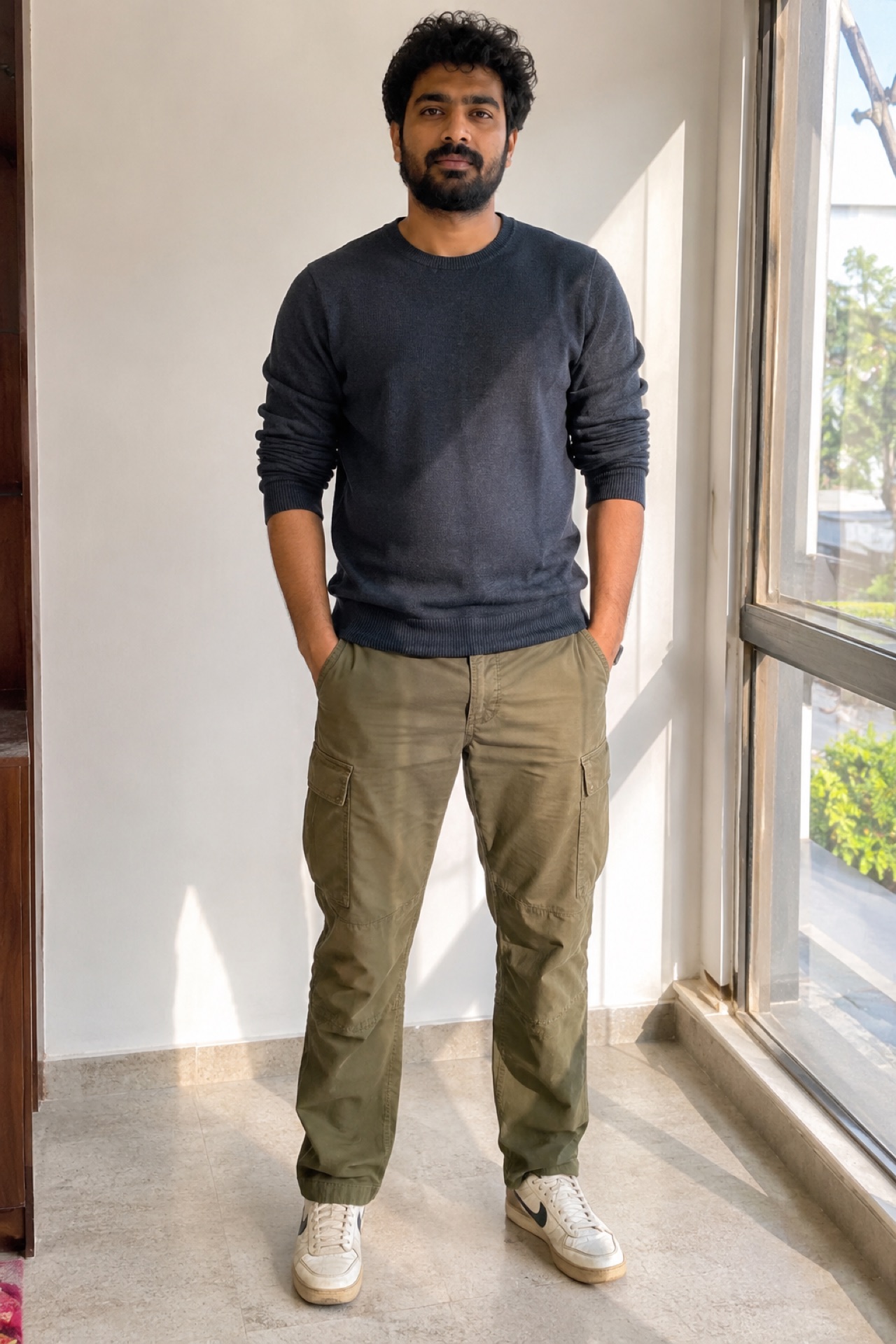
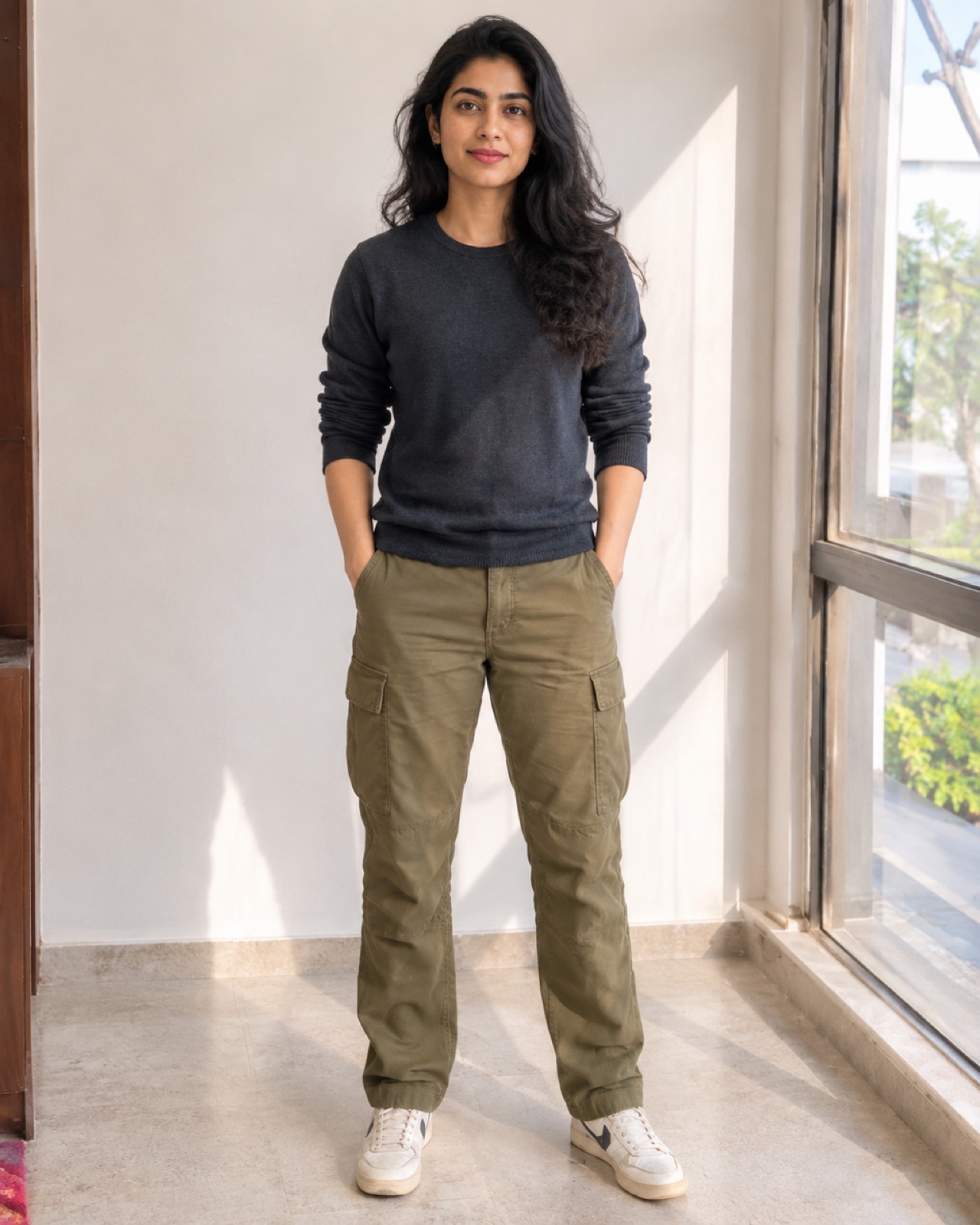
Female to male · seated portrait
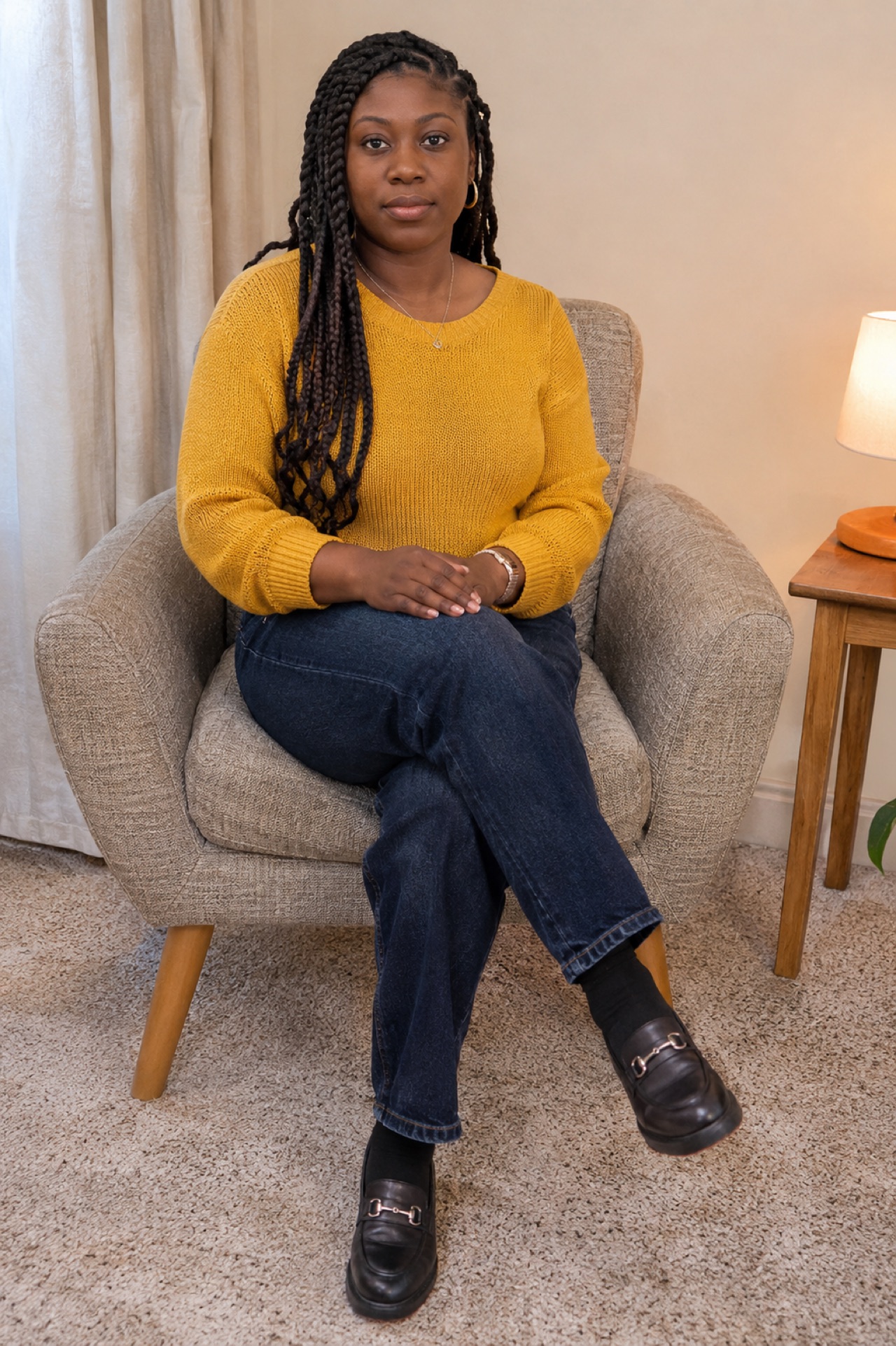
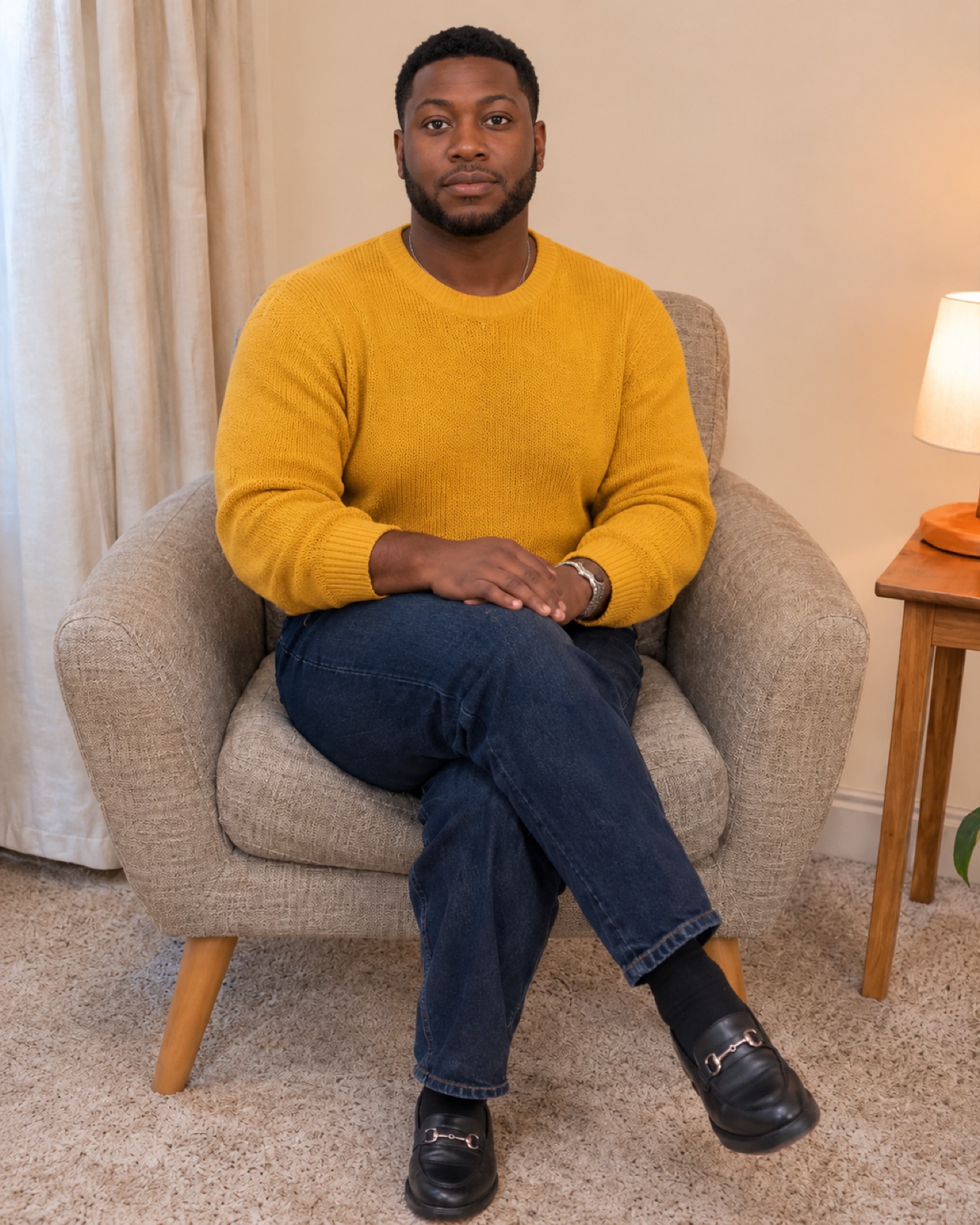
Male to female · outdoor full-length portrait
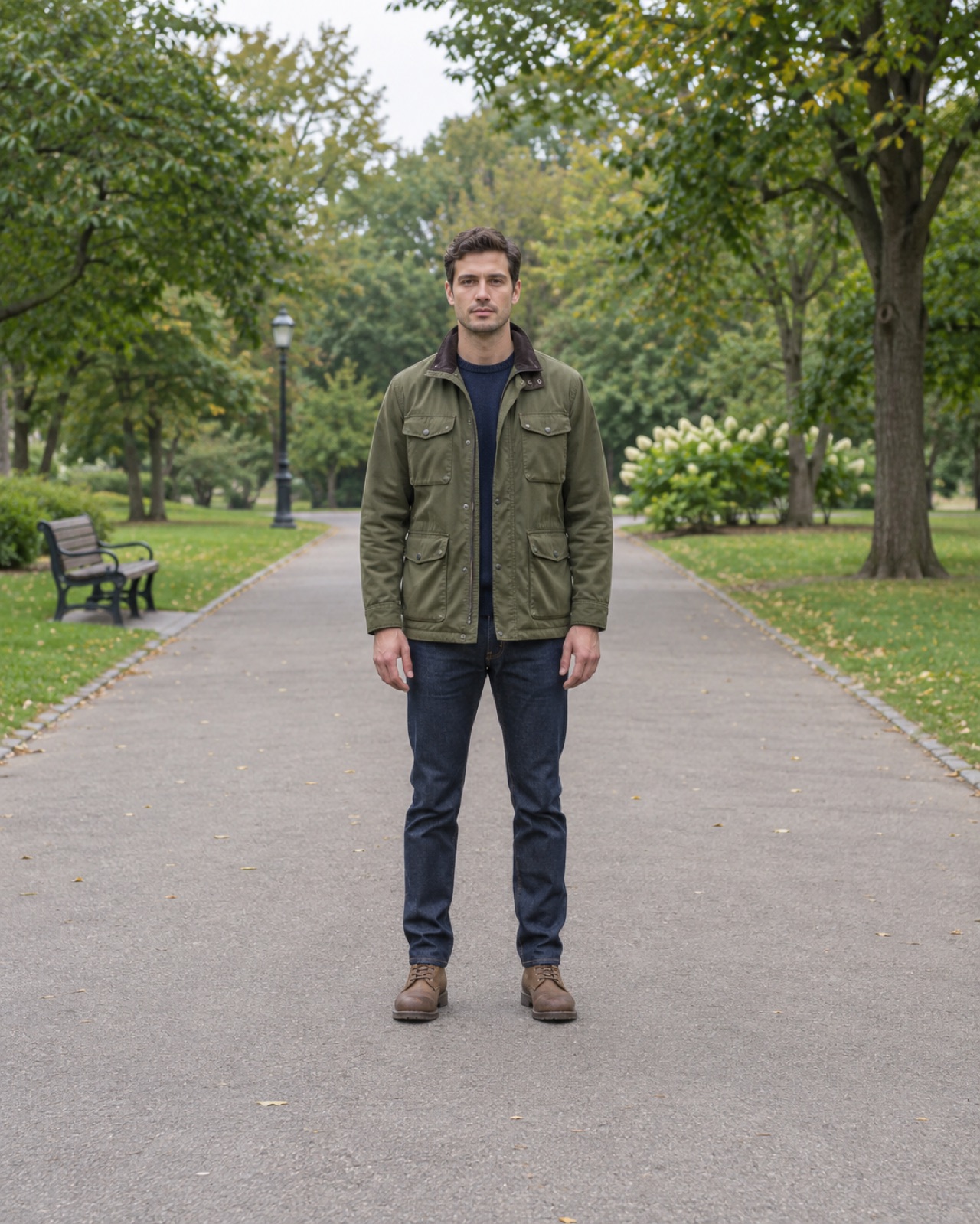
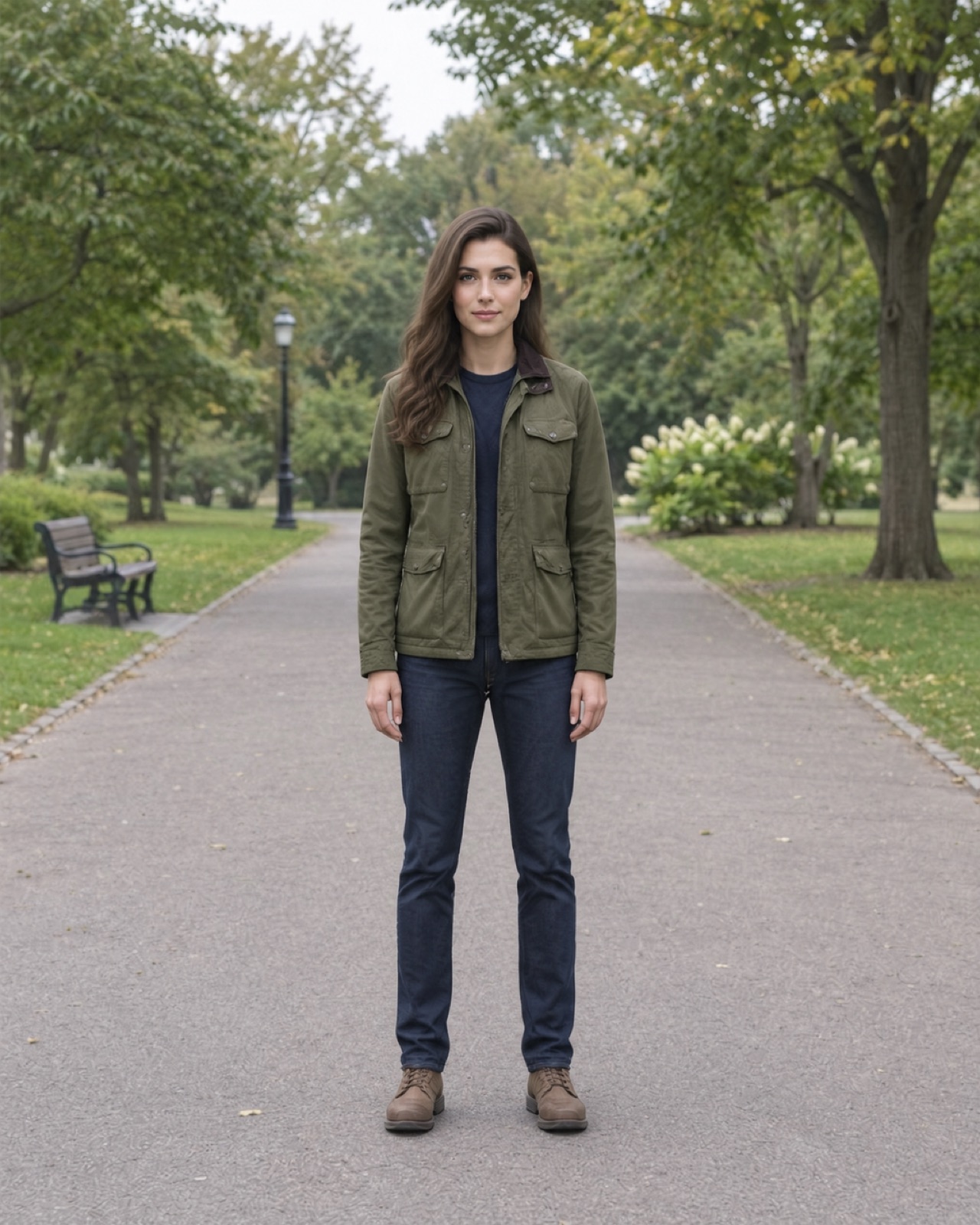
Face swap on a full-body shot is harder — here is why
When the face is a small part of the frame, fewer pixels describe the eyes, skin and jaw. Crop in to give it more space, or start with a closer photograph when facial detail is your priority.
Frequently asked questions
Can I gender swap a full-length photo without cropping it to my face?
Yes. Upload the full-length photo with one clearly visible face. If the face is too small to detect reliably, trim empty space around the person or use a closer photo.
Does it work on standing photos?
Yes, you can try standing photos. Start with a sharp portrait where the subject fills most of the frame from head to foot.
What if my face is small in the picture?
Crop away extra space and try again. A closer portrait is more useful when facial detail matters more than showing the entire outfit.
Do I need a full-body photo?
No. Use a closer portrait if your main interest is the face, brows or hair.
Is it free?
Guests can try up to two free images, subject to available quota. Results download as 1024 × 1280 PNGs without a watermark.
Does it work on group photos?
Use a single-person photo. The tool does not offer a face selector for group pictures. Crop to the intended subject before submitting.